
Odoo app development
Custom Odoo modules development for your business workflows
Custom Odoo modules development can add agreed forms, approvals, reports or integrations where standard configuration does not cover a workflow. We define requirements before building a module.
Custom Odoo modules development: what the service covers
Odoo has hundreds of settings before anyone writes a line of Python. We open the fields, automations and reports it already has and ask a plain question: does Odoo do this step as it is? Often an extra field, an automated rule or an edited view is enough.
We write a module in three situations. A manual step repeats every day and no setting removes it. Your data has a shape particular to your trade, such as sizes, production stages or contract types. Or your team needs a screen simpler than the general Odoo forms for fast daily work.
Working in this order saves you code you never needed, and it makes upgrading to a newer Odoo version easier.
What we build inside Odoo
- Fields and forms for your trade. Extra data on customers, products or sales orders, with drop-downs and validation rules that stop wrong entries.
- Approval chains. A discount above a limit goes to the manager, a purchase order needs two signatures, a leave request follows the reporting line.
- Your own calculations. Tiered sales commissions, pricing by quantity or customer, project expenses charged to cost.
- Reports and print layouts. Invoices, quotes and delivery notes in your design, in Arabic and English, plus summary reports that export to Excel.
- Simplified screens. A warehouse or reception view with three buttons instead of twenty fields.
- Automation. Rules that create a task, send an email or move a record to the next stage when a condition is met.
- Access rights. Who sees what, who edits, who approves, set by group and by record.
- Outside connections. APIs between Odoo and your store, payment gateway, courier or any other system.
A module that plugs into the rest of Odoo
A good custom module does not stand alone. We build it on top of the standard apps and inherit from them, so it appears in the same Odoo menu and shares contacts, products and the chart of accounts.
Take a repair-request module. It starts from a customer in CRM, links the job to a product in Inventory, consumes spare parts from the warehouse, issues an invoice that lands in Accounting, and logs the technician’s hours in Employees. Every step is one record in one system.
To see the standard apps we configure before any coding, read our Odoo implementation page. If your need is sales and customers, the CRM page is closer, and for attendance, leave and payroll see HR software.
Custom CRM and HR apps on Odoo
Most companies start with sales and HR, and that is where most customisation requests come from.
In CRM we add pipeline stages that match your sales cycle, qualification fields, lead scoring and automatic assignment to sales reps by region or product. A won opportunity turns into a quotation and a sales order in one click.
In HR we shape leave types and balance policies, the permission request form, payroll rules for allowances and deductions, and attendance reports. If your internal policy has conditions of its own, we turn them into rules inside the system instead of a side spreadsheet.
How a module project runs
- Call and scoping. You describe the step that breaks and who works on it. We ask for real examples with sensitive names removed.
- Configure or code. We write down what Odoo settings solve, what needs a module, and where the data connects.
- Screen design. You see the screens and reports on desktop and mobile and approve them before we code.
- Build on a test copy. We develop on a test instance of Odoo, not your live system. You try the work yourself and note what to change.
- Data import. We load your old data from Excel or a previous program into the new fields and check a sample with you.
- Training. Videos for the staff who will use the module every day.
- Go-live and support. We move the module to the live system after your approval and watch the first days to fix what appears.
Old data, training and support after launch
A module with wrong data is useless. We prepare the import sheets with you, match columns to Odoo fields and rerun the import on the test copy until the numbers agree. The full service is on the data migration and training page.
After launch you receive a handover file that explains the module and its permissions, plus training videos for your team. You can ask for later changes, or for a review of the module when you move to a new Odoo version.
A related project: the GTP factory system
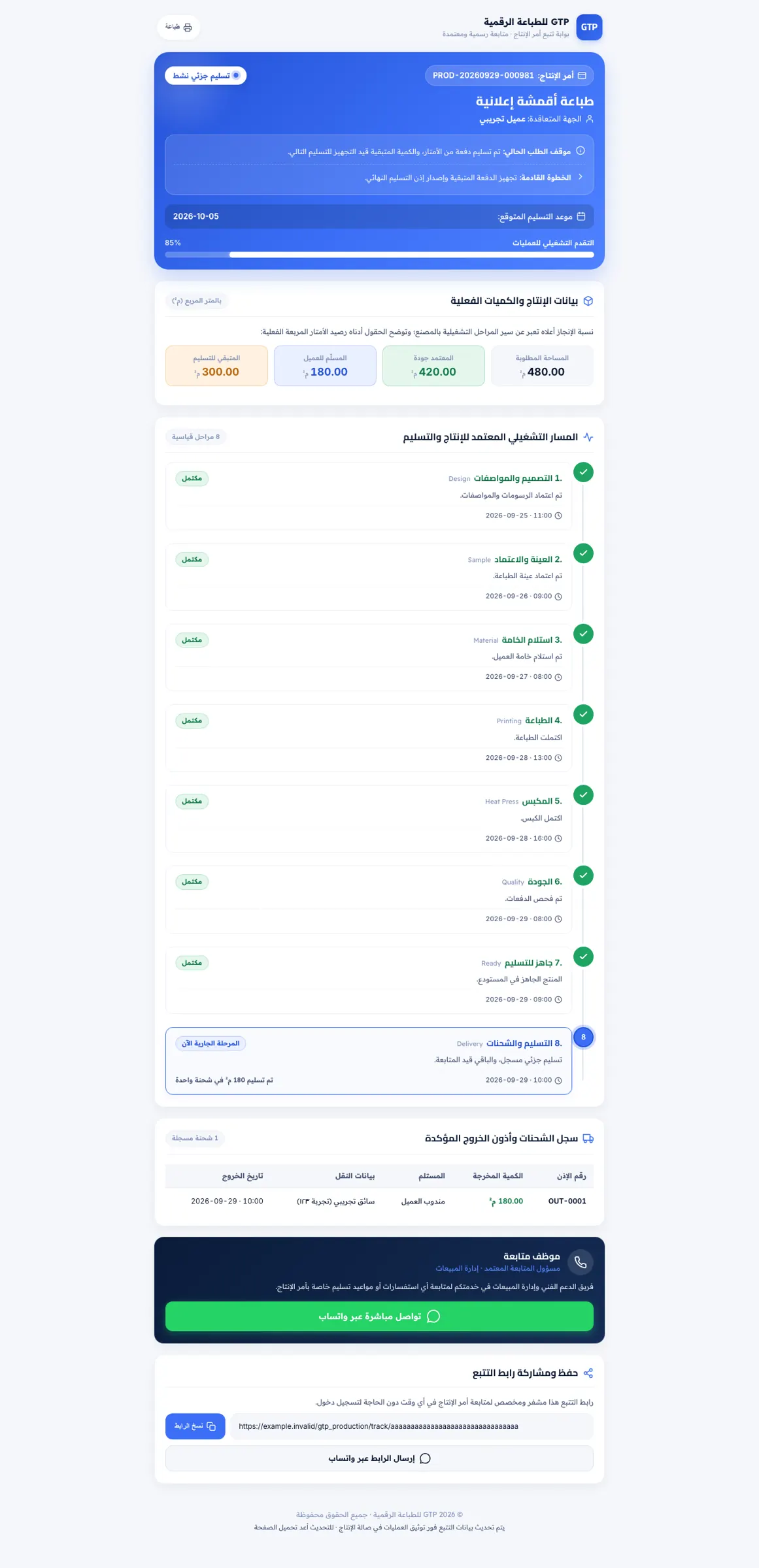
For GTP, a sublimation printing factory, we delivered a system that follows each order from quote to delivery across nine stages, with approvals, permissions and QR-coded entry and exit documents. It runs on Perfex CRM with a production module, not on Odoo, but it shows how we turn a whole production flow into one system. Read the story: GTP factory system.
Connecting Odoo to other systems
When a module needs data from outside Odoo, we build the link through an API. Store orders arrive as sales orders on their own, shipping status flows back to the record, and a payment confirmation closes the invoice. More on the integrations page.
Packages and the written quote
We review what you need, then send a written quote that sets the scope, timeline and deliverables. The written quote fixes the scope and the timeline, and work starts only after you approve it.
Frequently asked questions
Configuration uses the options, fields and reports Odoo already has, with no code. A custom module is Python development that adds a function Odoo lacks. We always configure first and write code only when settings fall short.
A module may need a review when the version changes, because Odoo alters some interfaces between releases. We write code on top of the standard apps without editing their core, so an upgrade is a limited review and not a rebuild.
Customisation works on both, but some apps exist only in Enterprise. We settle the edition with you after reviewing your needs and before any coding, so you do not buy a licence you will not use.
Ask about code ownership and usage terms on the first call and have them written into the quote before work starts.
We compare moving your operation to Odoo against building separate custom software. Our article Odoo or custom software explains how to choose.

Tell us which step in your business keeps breaking
Send a short description or a screenshot and we come back with a written quote that sets the scope and timeline.